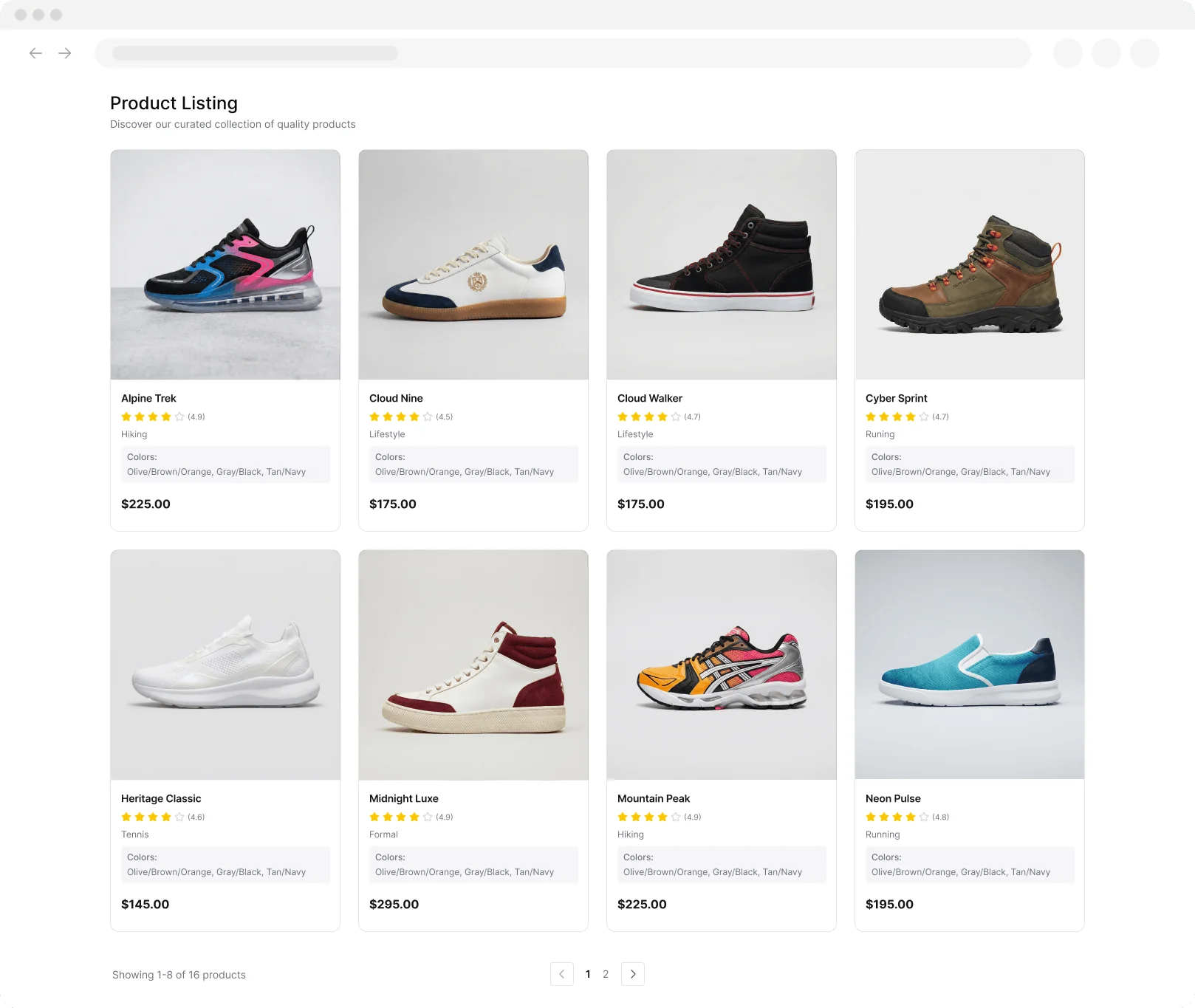
Structured product data

UPC Lookup

Look up product details by UPC to verify items and compare listings. Get names, brands, manufacturers, categories, and images in one search.

Real UPC data: Powered by Open Facts product catalogs. The tool preserves leading zeros, validates the GTIN check digit locally, and only shows catalog matches returned by the source.

Trim spaces, preserve leading zeros, and keep result fields easy to copy.

Waiting for input

Fill in the input panel and run the tool to see results here.

Empty

Scrape hundreds of webpages with the Thunderbit Chrome Extension in one click, try the Thunderbit API for free, or use our Web Scraping Service to save engineering time.

Extract Product Data from Any SiteUse Thunderbit to scrape product pages fast and turn messy listings into structured fields with a few clicks. Automate collection across pages and exports.

Extract Product Data from Any Site

Collect product details from websites, catalogs, and marketplaces with Thunderbit’s AI Web Scraper Chrome extension. Scrape listings, follow subpages for richer attributes, and pull data from PDFs, docs, and images into a clean table you can review. After extraction, Thunderbit can summarize, categorize, and format fields for consistent analysis. Export results to Google Sheets, Airtable, or Notion to compare items, validate listings, and keep your product research up to date.

How to Look Up UPC Using Thunderbit

step_01.png
STEP 1Download and InstallDownload and install the Thunderbit Chrome Extension from the Thunderbit Chrome Extension Download Page. Once installed, log in or create a free account to get started.
step_02.png
STEP 2Open ExtensionOpen the Thunderbit Chrome Extension, then open the UPC Lookup tool. In the "Enter a UPC Code" tab, enter a numeric UPC code (typically 12 digits) in the "upc" field, such as 012345678905. Confirm the code contains only numbers before running the lookup.
step03.png
STEP 3Click the Look up UPC ButtonClick the "Look up UPC" button to run the search. Thunderbit returns a table of results that can include Product Name, Brand, Manufacturer, Category, Description, and Product Image URL. If no match is found, review the UPC for typos and try again. When the results look correct, export the table to Excel, Google Sheets, Airtable, or Notion, or download it as CSV or JSON.

Learn how to look up product details by UPC code

Search product information by UPC
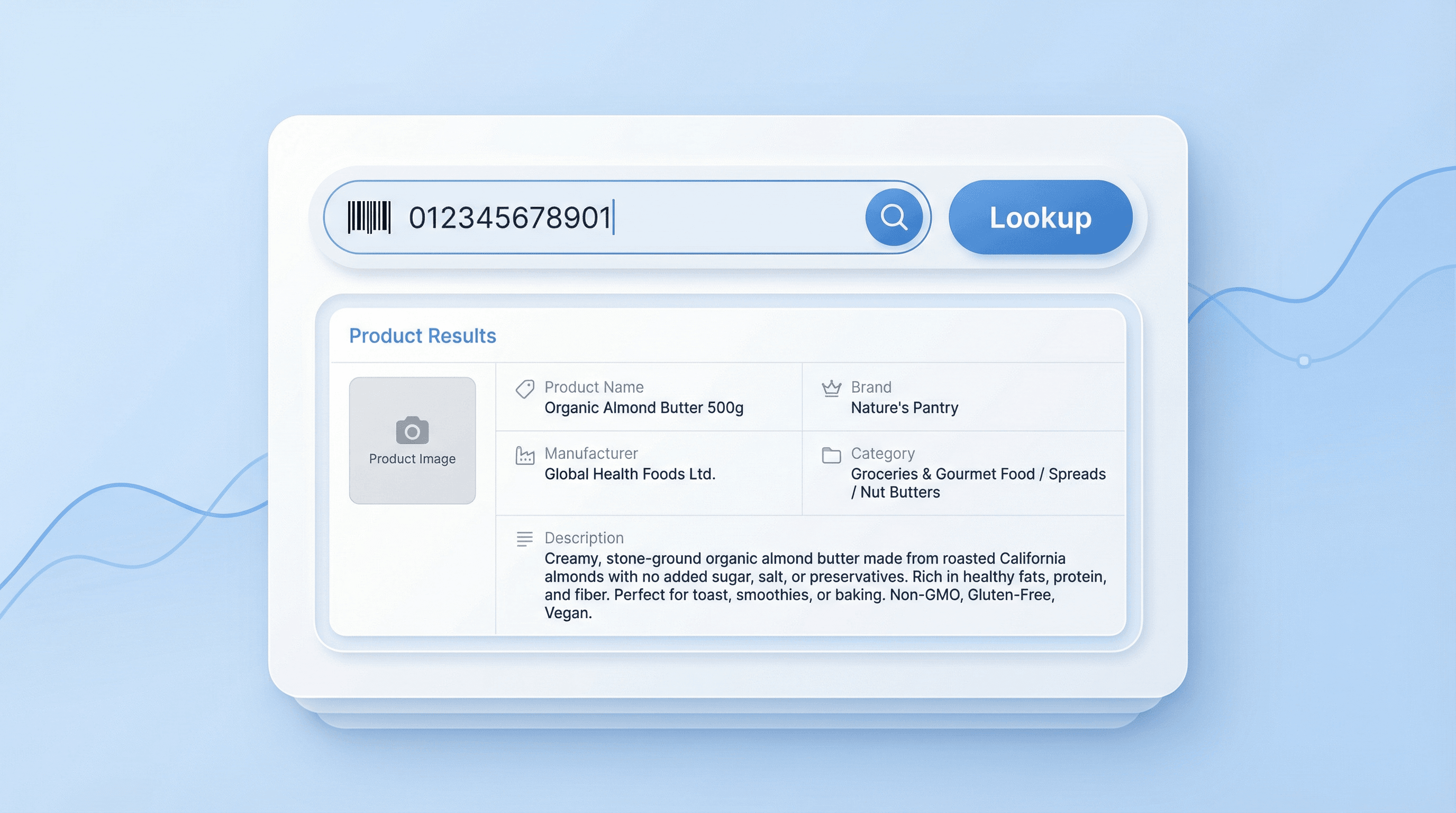
UPC Lookup lets you enter a numeric UPC (typically 12 digits) to retrieve structured product details in one place. It returns key fields like Product Name, Brand, Manufacturer, Category, Description, and a Product Image URL. This helps ecommerce operators, retail teams, and analysts verify what a barcode represents without manual searching across multiple sites.
Get Started Free
0_7mAfA7SKWQJ2O2UZMdEDfR_1773298163776_na1fn_L2hvbWUvdWJ1bnR1L3VpX3V4X2lsbHVzdHJhdGlvbl91cGNfbG9va3Vw.png

Standardize product data for accuracy
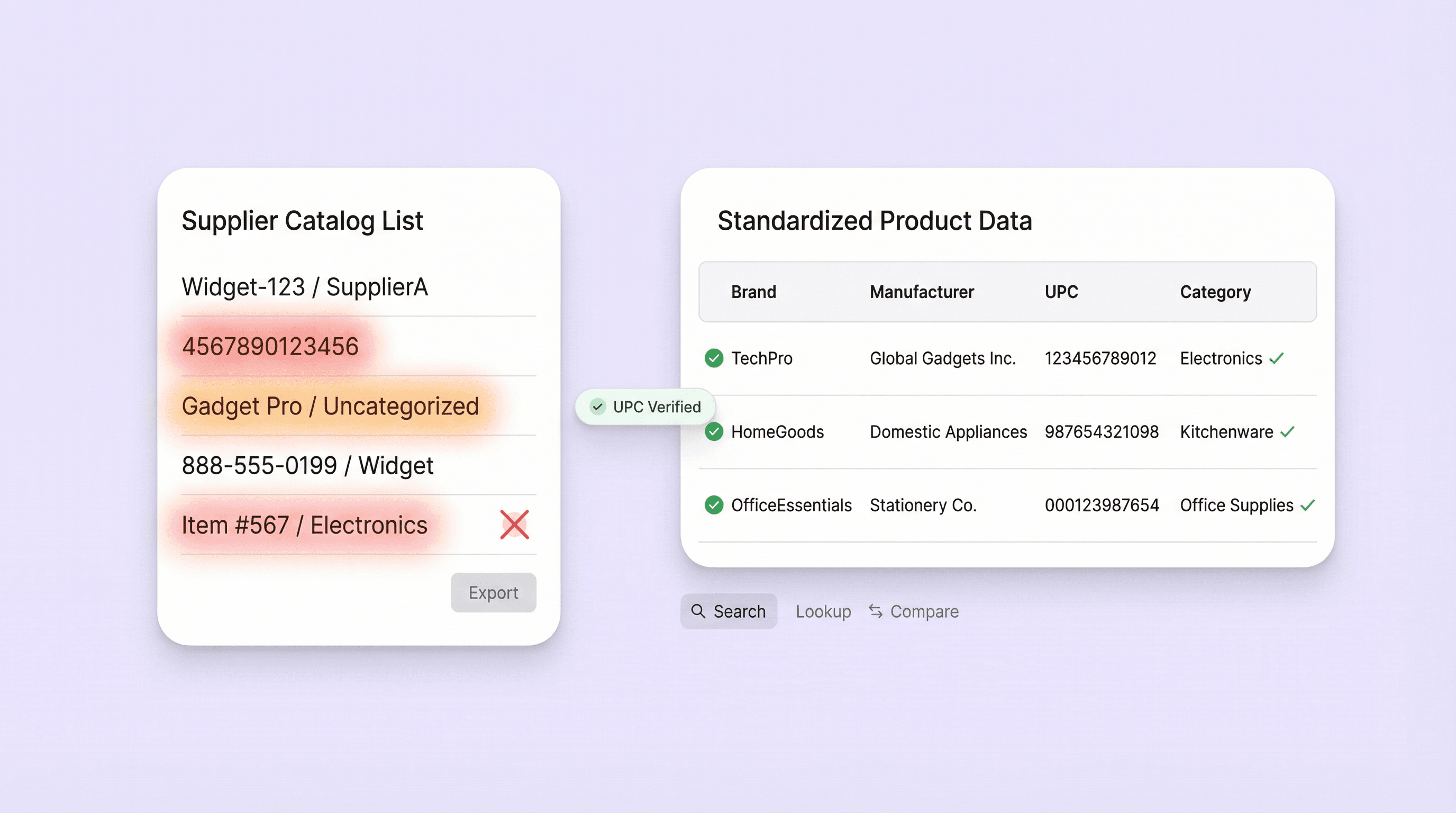
Use UPC Lookup to reduce mismatches between listings, supplier catalogs, and internal inventory records. By pulling consistent fields tied to a UPC, teams can confirm brand and manufacturer, spot duplicate items, and validate product identity during onboarding. It is also useful when a UPC returns no match, since the tool provides a clear not-found result for follow-up.
Get Started Free
1_1hLplAGoHpWi6AiczrgwiF_1773298161454_na1fn_L2hvbWUvdWJ1bnR1L3N0YW5kYXJkaXplX3Byb2R1Y3RfZGF0YQ.png

Build product catalogs and enrichment workflows
Teams can use the table output to enrich SKU lists, create new catalog entries, or fill missing attributes for marketplace listings. The Product Image URL supports merchandising and content QA, while Category and Description help with taxonomy and search optimization. This workflow fits ecommerce operations, marketplace sellers, and PIM teams managing large product sets.
Get Started Free
2_b3vNz8phxcd8ZHgK1ohkpX_1773298152246_na1fn_L2hvbWUvdWJ1bnR1L3VpX3V4X2lsbHVzdHJhdGlvbl9hdWRpdHM.png

Support audits, authenticity checks, and comparisons
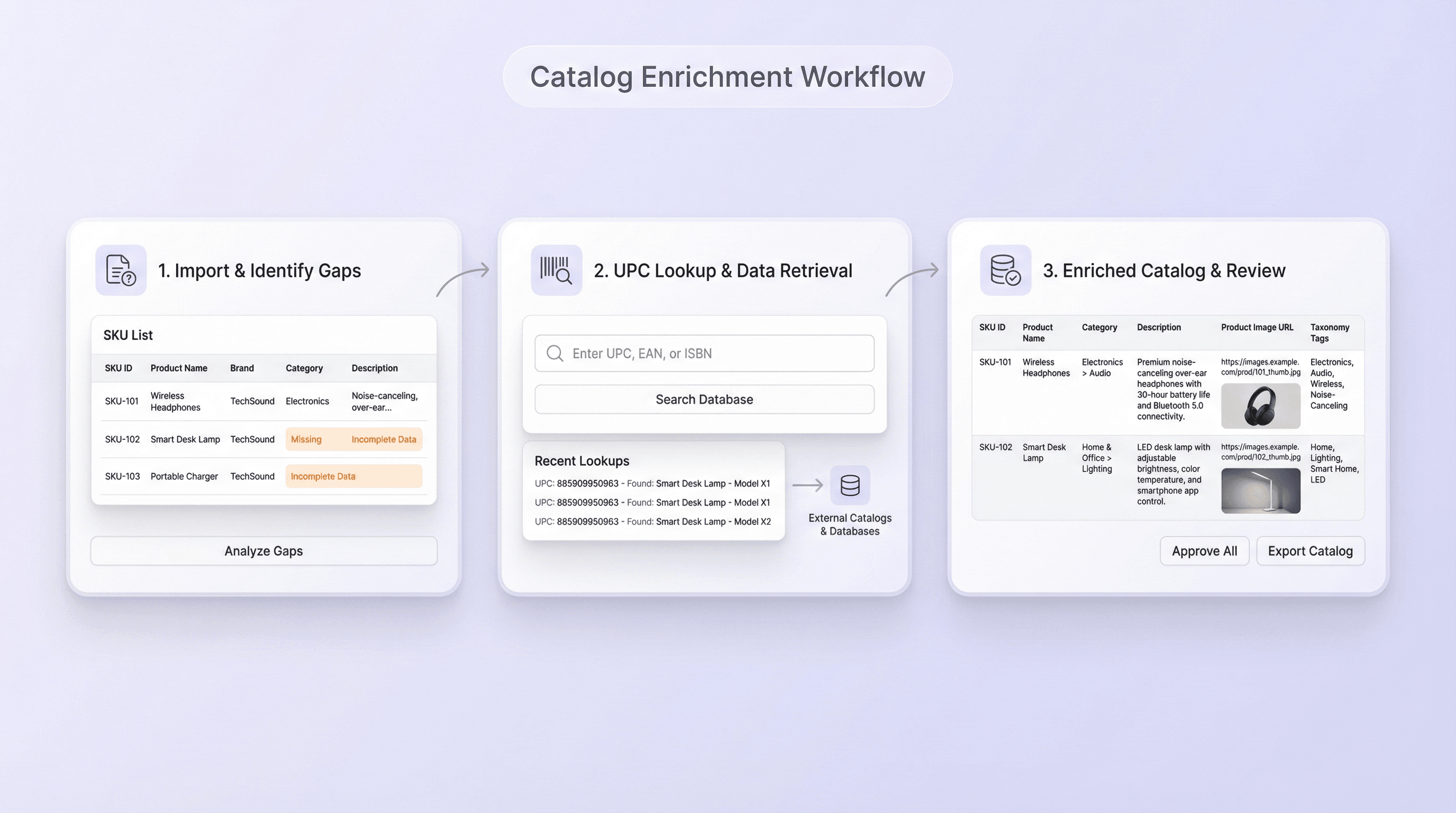
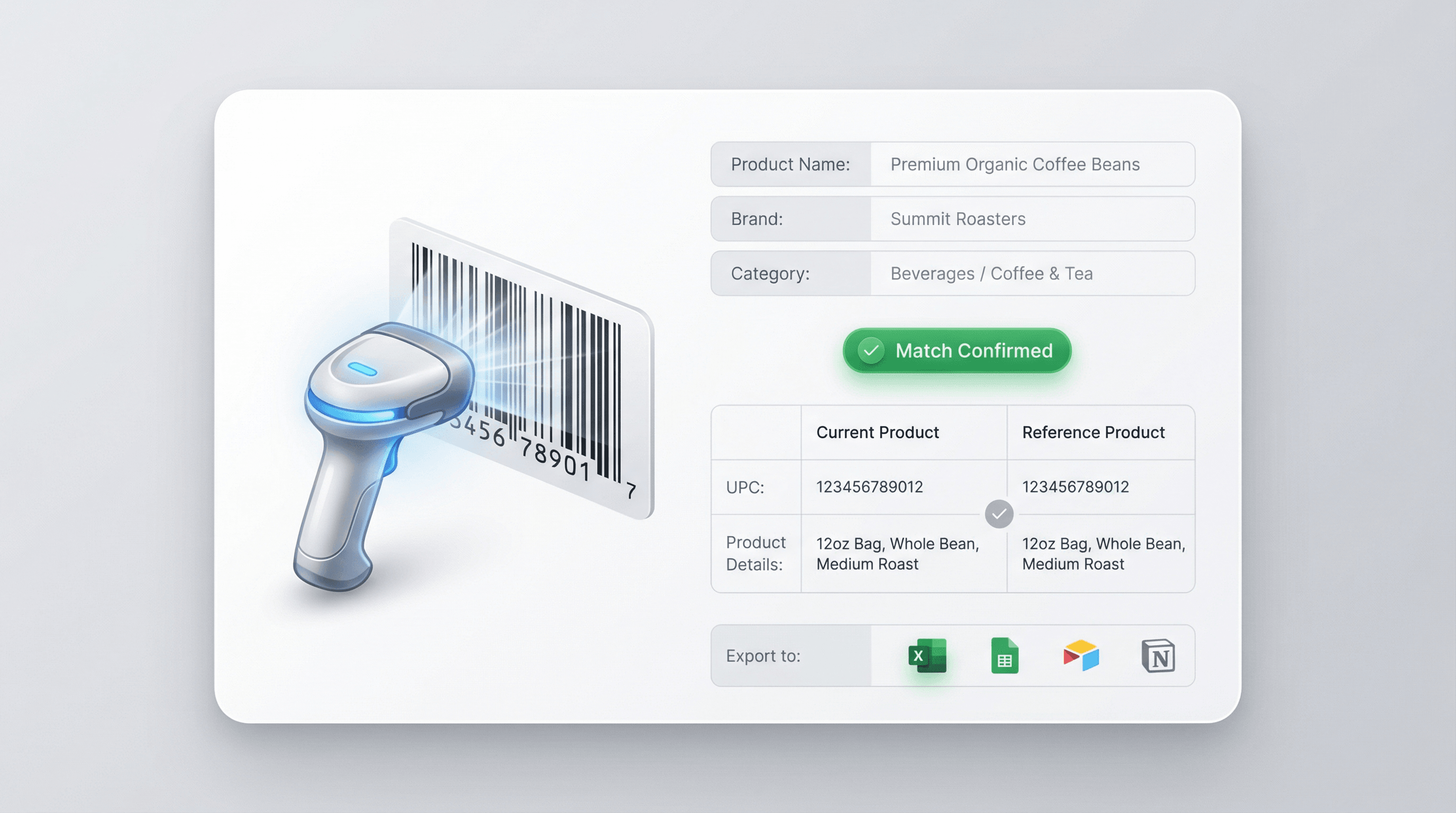
UPC Lookup is useful for retail audits, receiving, and compliance checks where staff need to confirm that packaging and barcodes match the expected product. It also supports competitive research by letting analysts compare items across brands using a common identifier. When paired with Thunderbit exports to Excel, Google Sheets, Airtable, or Notion, results can be shared and tracked across teams.
Get Started Free
3_hMVizrNZ8iFbunoFvS0Gqp_1773298152922_na1fn_L2hvbWUvdWJ1bnR1L3Byb2R1Y3RfY2F0YWxvZ193b3JrZmxvdw.png

Discover More Free Tools

Amazon Products Scraper

Amazon Products Scraper

Extract product info from Amazon by pasting product URLs. Get titles, prices, ratings, and more in a structured table for quick export and review.

Amazon Price Scraper

Scrape Amazon prices, seller names, ratings, ASINs, availability, and product URLs in 2 clicks — then export to Excel, Google Sheets, Airtable, or Notion. No coding required.

Amazon Review Exporter

Amazon Review Exporter

Extract detailed Amazon product reviews by pasting a product URL. Instantly collect reviewer info, ratings, and more in a structured table for easy analysis.

Amazon product research tool

Find high-potential Amazon products using keyword, category, or ASIN research. Compare demand, competition, pricing, and estimated sales to validate ideas. Make faster, data-driven sourcing decisions.

Free Amazon Sales Estimator

Estimate an Amazon product’s monthly and daily unit sales using its category and Best Seller Rank. Get quick benchmarks for demand research and listing decisions.

Free Online FBA Fee Calculator

Estimate Amazon FBA costs by entering price, cost, size, weight, and category. Get referral, fulfillment, and storage fees plus profit and margin to price products with confidence.

Amazon Listing Quality Checker

Evaluates Amazon product listings for completeness and SEO readiness. Flags missing or weak titles, bullets, images, and keywords. Get a clear score plus actionable fixes to improve visibility.

Product Details Scraper

Product Details Scraper

Scrape product details from eCommerce sites like Amazon, Walmart, Shein, Lazada, and Zalando. Collect name, brand, price, images, ratings, and reviews in structured format for quick analysis or export.


Find More Tools Now

What users say about Thunderbit

Taryn W.Growth Strategist@Thunderbit changed how I run competitor research. I click 'AI Suggest Fields,' and it builds a clean table across paginated results—no coding, no CSS. Huge time-saver when analyzing product data from long-tail marketplaces.
Miles T.Sales Development ConsultantI use Thunderbit to grab emails and phone numbers from directories. It extracts clean contact info in one click, and exporting to Sheets or Notion takes seconds. No extra setup, no coding—just usable data ready to work with.
Rhea C.E-commerce AnalystThunderbit helps me monitor SKU data across multiple pages. I scrape the listings, then use Subpage Scraping to pull full product specs, pricing, reviews, and stock. The AI organizes everything into columns I define.
Cassian B.Real Estate AdvisorThunderbit's Scheduled Scraper makes real estate tracking easier. I describe the interval in plain English, and it automatically pulls updated listings, prices, and links without touching the setup again. Simple and very practical.
Dorian B.Content & SEO SpecialistI use Thunderbit's Field AI Prompts to clean and tag scraped blog content. It extracts titles, authors, and even suggests categories. Works great across dynamic sites and subpages—perfect for building structured SEO datasets.
Lina K.Marketplace Operations LeadWe track SKUs from niche stores using Thunderbit. Cloud Scraping handles 50 pages at a time, and for login-required sites, we switch to browser mode. It’s fast, flexible, and doesn’t need ongoing maintenance or manual edits.
Jorge F.Inbound Sales ManagerThunderbit’s AI Autofill is a lifesaver. After scraping contact info, I use it to fill lead forms directly in my browser. I just select the tab, and it fills everything using the scraped row. No manual input needed.
Alina D.Freelance ResearcherI rely on Thunderbit for extracting data from PDFs, image-based sites, and infinite scroll pages. It handles messy formats with AI and delivers ready-to-export tables I can send to Google Sheets or Airtable in seconds.
Taryn W.Growth Strategist@Thunderbit changed how I run competitor research. I click 'AI Suggest Fields,' and it builds a clean table across paginated results—no coding, no CSS. Huge time-saver when analyzing product data from long-tail marketplaces.
Miles T.Sales Development ConsultantI use Thunderbit to grab emails and phone numbers from directories. It extracts clean contact info in one click, and exporting to Sheets or Notion takes seconds. No extra setup, no coding—just usable data ready to work with.
Rhea C.E-commerce AnalystThunderbit helps me monitor SKU data across multiple pages. I scrape the listings, then use Subpage Scraping to pull full product specs, pricing, reviews, and stock. The AI organizes everything into columns I define.
Cassian B.Real Estate AdvisorThunderbit's Scheduled Scraper makes real estate tracking easier. I describe the interval in plain English, and it automatically pulls updated listings, prices, and links without touching the setup again. Simple and very practical.
Dorian B.Content & SEO SpecialistI use Thunderbit's Field AI Prompts to clean and tag scraped blog content. It extracts titles, authors, and even suggests categories. Works great across dynamic sites and subpages—perfect for building structured SEO datasets.
Lina K.Marketplace Operations LeadWe track SKUs from niche stores using Thunderbit. Cloud Scraping handles 50 pages at a time, and for login-required sites, we switch to browser mode. It’s fast, flexible, and doesn’t need ongoing maintenance or manual edits.
Jorge F.Inbound Sales ManagerThunderbit’s AI Autofill is a lifesaver. After scraping contact info, I use it to fill lead forms directly in my browser. I just select the tab, and it fills everything using the scraped row. No manual input needed.
Alina D.Freelance ResearcherI rely on Thunderbit for extracting data from PDFs, image-based sites, and infinite scroll pages. It handles messy formats with AI and delivers ready-to-export tables I can send to Google Sheets or Airtable in seconds.

Frequently Asked Questions

Extract Data using AI
Easily transfer data to Google Sheets, Airtable, or Notion
Chrome Store Rating
PRODUCT HUNT#1 Product of the Week