Flipkart Scraper

By
Extract product data from Flipkart listings and SKU pages with AI-suggested fields for fast, structured analysis. Perfect for e-commerce research and price monitoring.

Scrape hundreds of webpages with the Thunderbit Chrome Extension in one click, try the Thunderbit API for free, or use our Web Scraping Service to save engineering time.

Extract Flipkart Product Data FastScrape Flipkart product details, prices, and reviews in seconds with Thunderbit’s Chrome extension. No coding or manual copy-paste required.

Extract Flipkart Product Data Fast

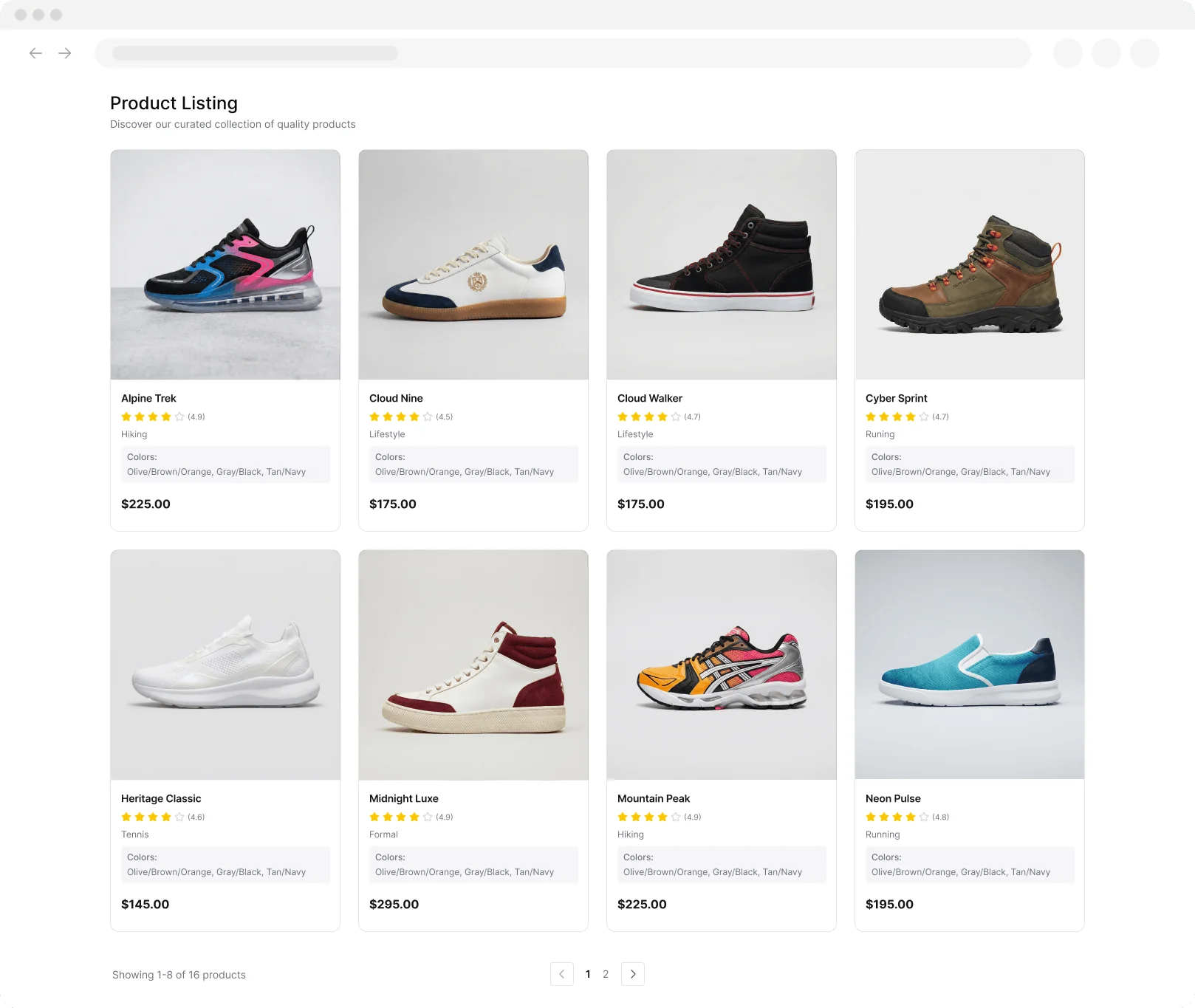
Thunderbit’s Flipkart Scraper lets you collect product names, images, brands, ratings, reviews, and prices from Flipkart with just a few clicks. AI-powered field suggestions help you structure your data for easy analysis, saving you time on manual data entry. You can scrape data from product listings and subpages, then export your results to Google Sheets, Airtable, or Notion. Thunderbit also supports scraping from PDFs, images, and paginated pages, making it a versatile tool for e-commerce professionals and researchers.

How to Extract Flipkart Data Using Thunderbit

step_01.png
STEP 1Download and InstallDownload and install the Thunderbit Chrome Extension from the Thunderbit Chrome Extension Download Page. Once installed, log in or create a free account to get started.
step_02.png
STEP 2Open ExtensionNavigate to the Flipkart product listing or SKU page you want to extract data from. Open the Thunderbit Chrome Extension and select the Flipkart Scraper tool. Enter the Flipkart URL in the provided field.
step03.png
STEP 3Click the Extract Flipkart Data ButtonClick the "Extract Flipkart Data" button. Thunderbit will use AI to gather product names, URLs, images, brands, ratings, number of reviews, and prices into a structured table. You can then export the results to Excel, Google Sheets, Airtable, Notion, or download them as CSV or JSON.

Learn how to extract product data from Flipkart listings

Extract Product Information from Flipkart
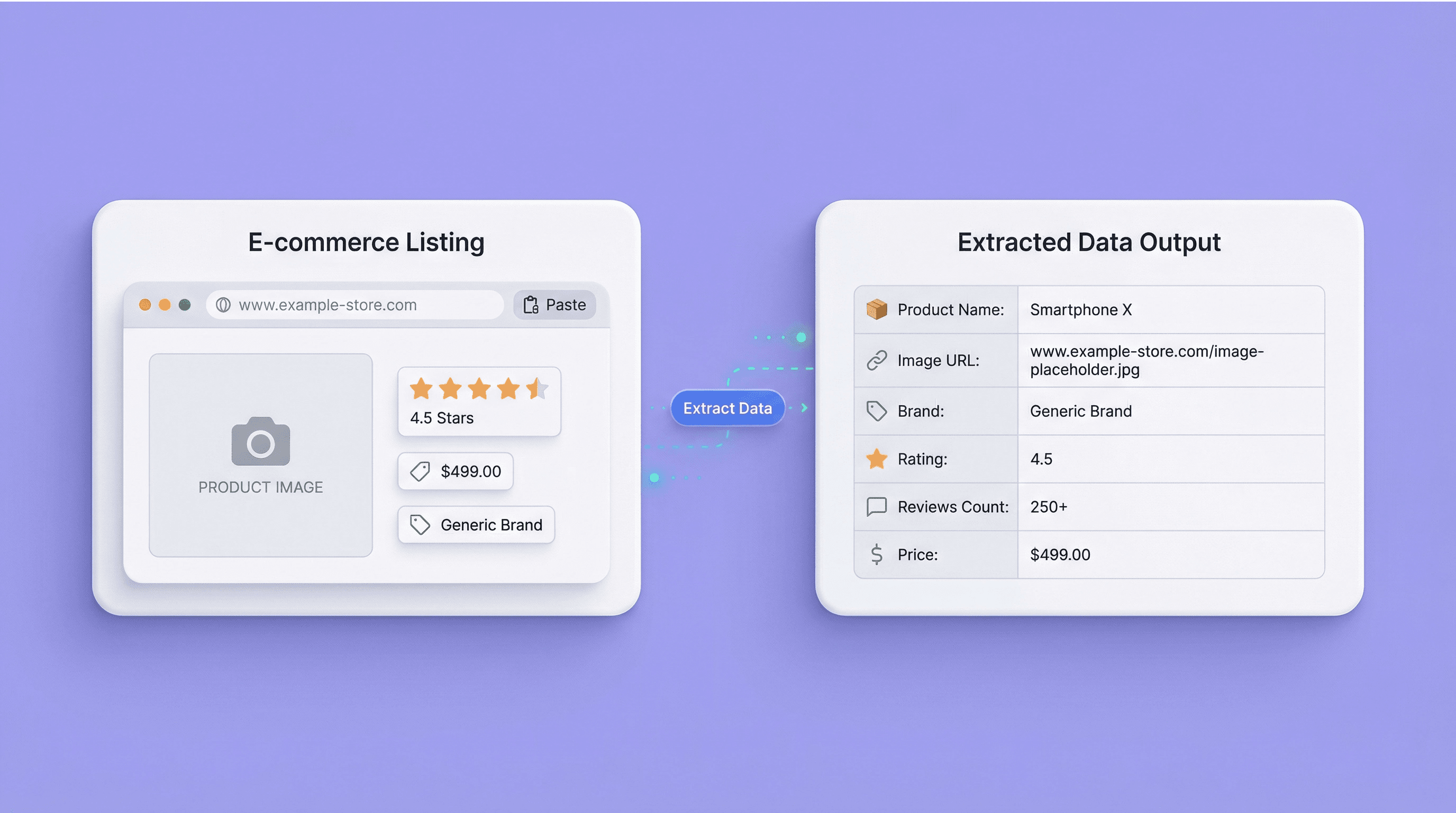
The Flipkart Scraper allows you to gather detailed product data from Flipkart listings and SKU pages. By entering a Flipkart URL, you can collect product names, URLs, images, brands, ratings, number of reviews, and prices. This tool is designed for e-commerce professionals, marketers, and researchers who need structured data for analysis, price tracking, or market research. It eliminates the need for manual data collection, making your workflow more efficient and reliable.
Get Started Free
flipkart_scraper_illustration.png

Leverage AI-Powered Field Suggestions
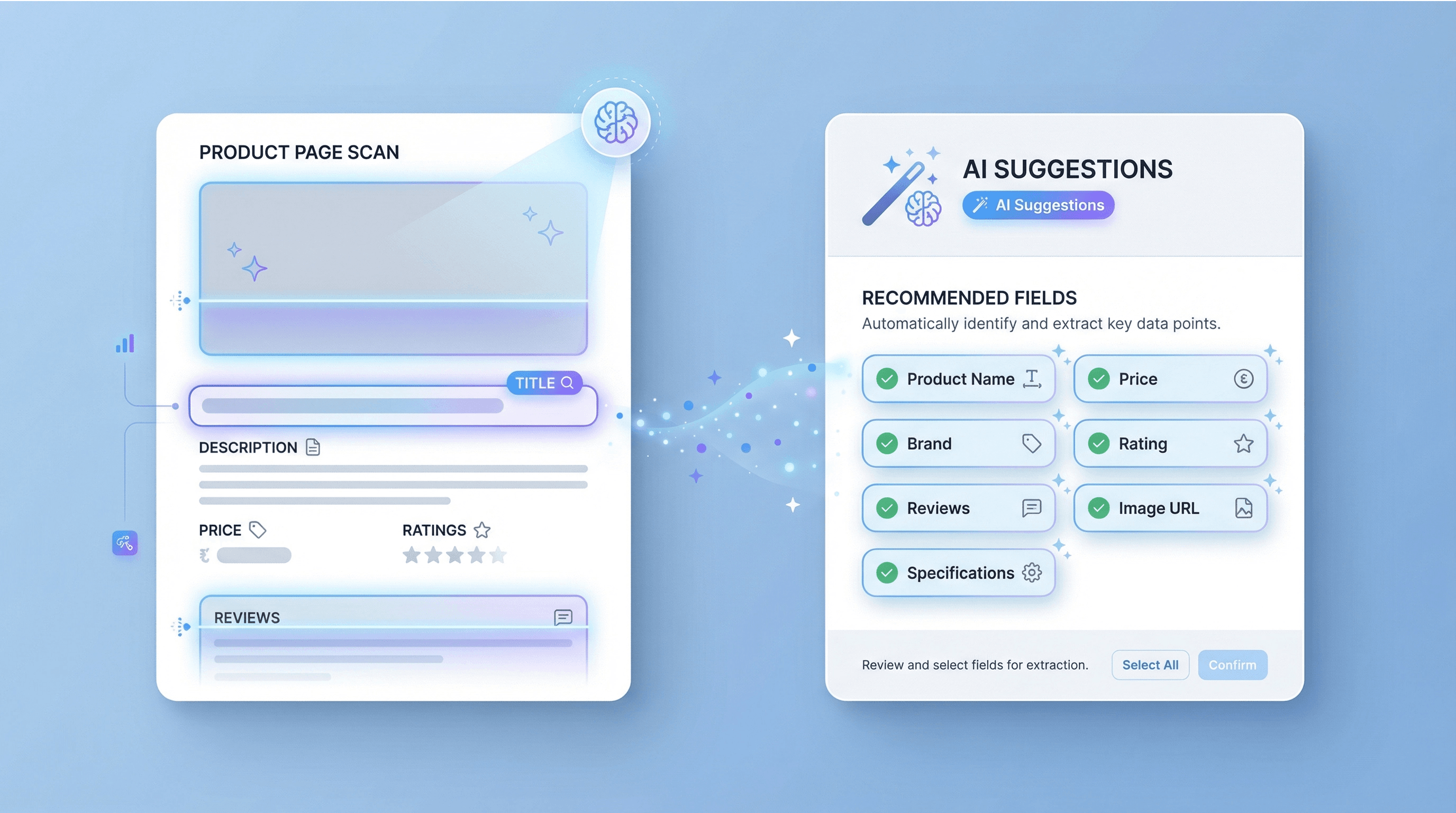
With built-in AI field suggestions, the Flipkart Scraper identifies and organizes key product attributes automatically. The AI reads the page and recommends relevant columns, so you don’t have to define fields manually. This feature saves time and ensures you capture all essential product details, even as Flipkart’s layout changes. It’s especially useful for users who want accurate, up-to-date data without the hassle of constant template adjustments.
Get Started Free
flipkart_ai_field_suggestions.png

Export Data to Your Favorite Tools

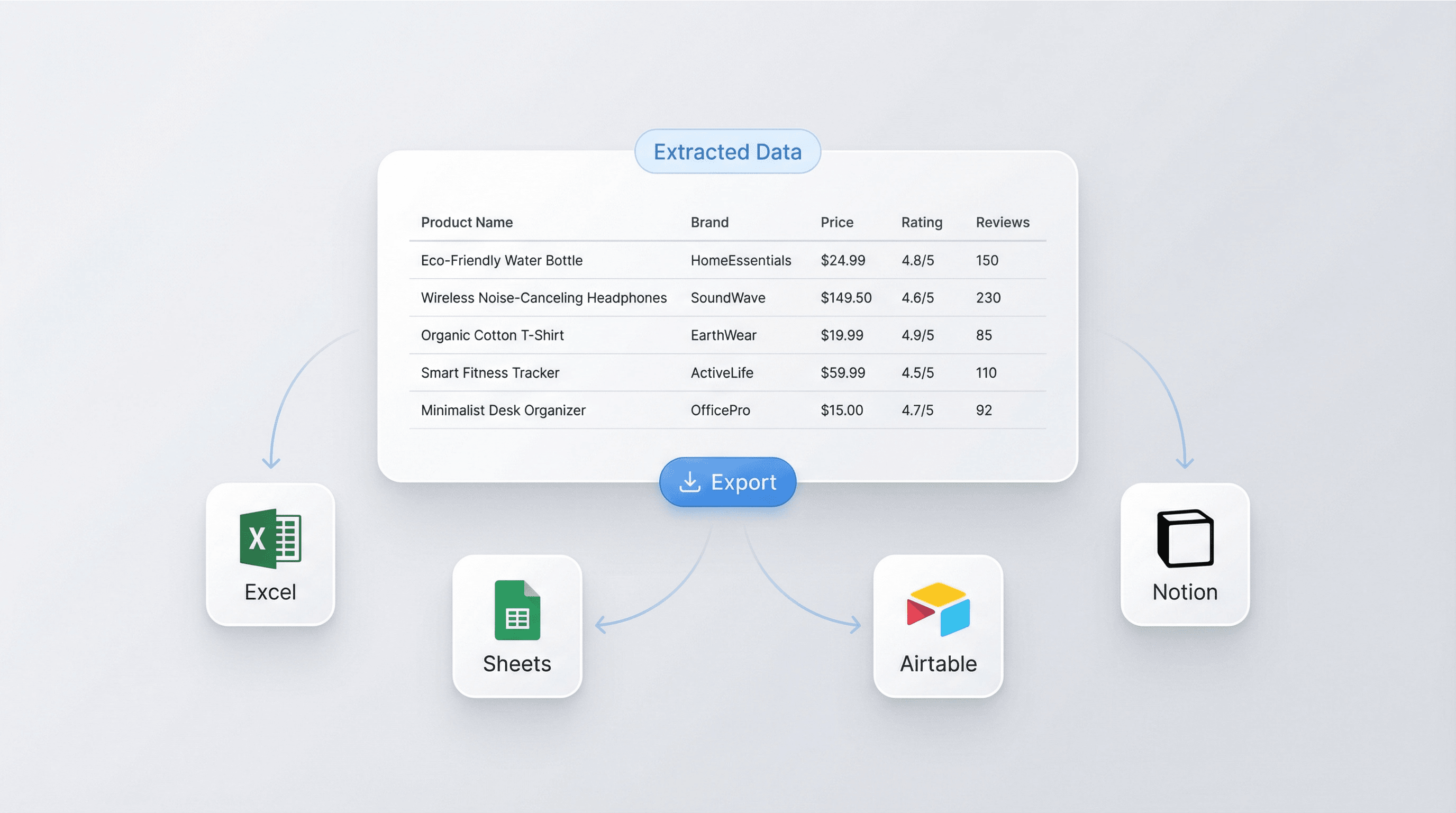
Once your Flipkart data is extracted, you can export it directly to Excel, Google Sheets, Airtable, or Notion. The output is formatted as a table, making it easy to analyze, share, or integrate into your existing systems. Whether you’re building a product catalog, tracking competitor prices, or preparing reports, the export options help you move from data collection to actionable insights quickly.
Get Started Free
flipkart_export_options.png

Support E-commerce Research and Price Monitoring
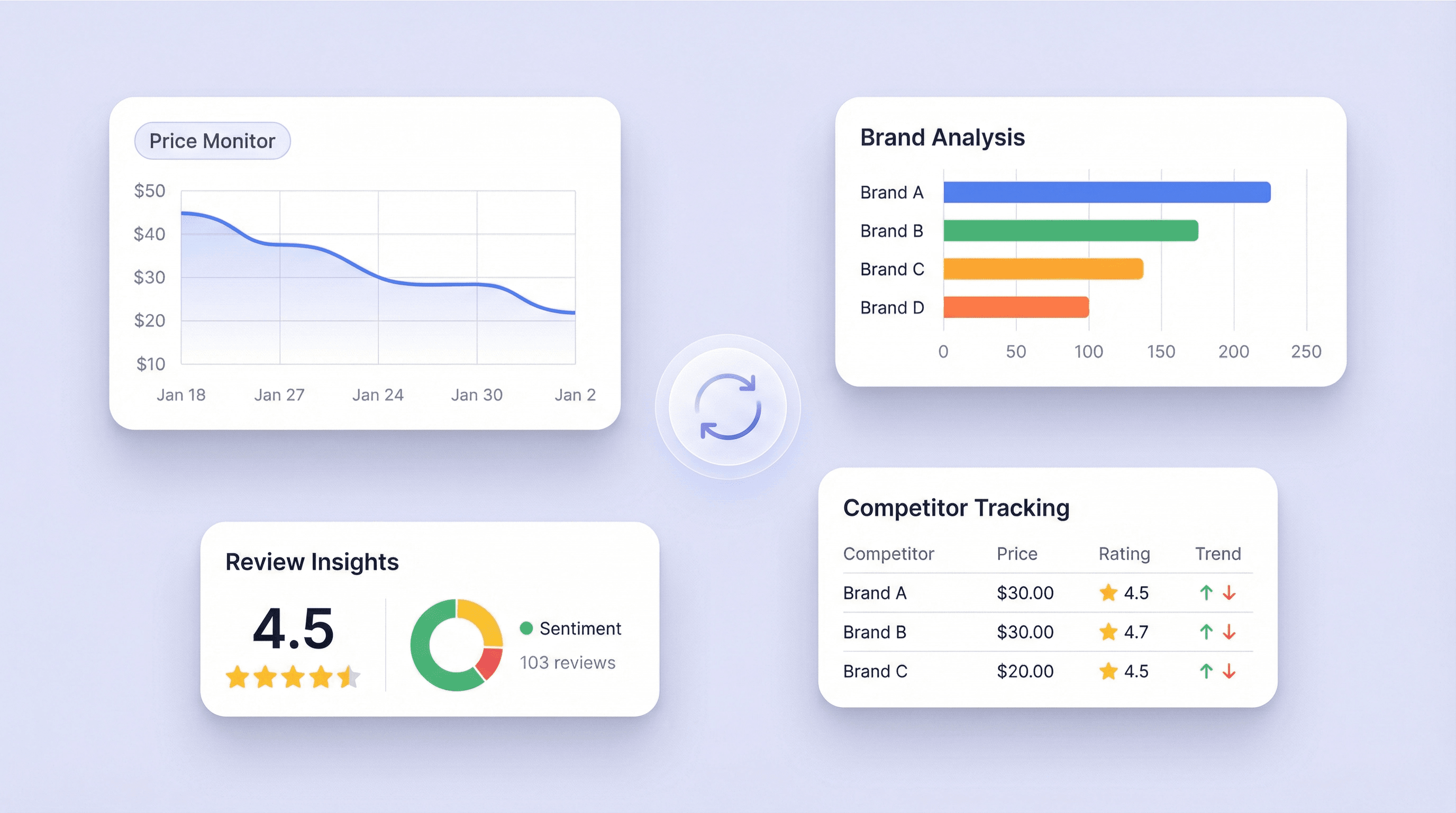
Use the Flipkart Scraper to monitor product prices, track brand performance, or analyze customer ratings and reviews over time. E-commerce teams can keep an eye on competitors, while marketers and researchers can study trends and consumer feedback. By automating data extraction, you can focus on strategy and decision-making, rather than spending hours on repetitive tasks.
Get Started Free
flipkart_analytics_monitoring.png

Discover More Free Tools

Amazon Products Scraper

Amazon Products Scraper

Extract product info from Amazon by pasting product URLs. Get titles, prices, ratings, and more in a structured table for quick export and review.

Amazon Price Scraper

Scrape Amazon prices, seller names, ratings, ASINs, availability, and product URLs in 2 clicks — then export to Excel, Google Sheets, Airtable, or Notion. No coding required.

Amazon Review Exporter

Amazon Review Exporter

Extract detailed Amazon product reviews by pasting a product URL. Instantly collect reviewer info, ratings, and more in a structured table for easy analysis.

Amazon product research tool

Find high-potential Amazon products using keyword, category, or ASIN research. Compare demand, competition, pricing, and estimated sales to validate ideas. Make faster, data-driven sourcing decisions.

Free Amazon Sales Estimator

Estimate an Amazon product’s monthly and daily unit sales using its category and Best Seller Rank. Get quick benchmarks for demand research and listing decisions.

Free Online FBA Fee Calculator

Estimate Amazon FBA costs by entering price, cost, size, weight, and category. Get referral, fulfillment, and storage fees plus profit and margin to price products with confidence.

Amazon Listing Quality Checker

Evaluates Amazon product listings for completeness and SEO readiness. Flags missing or weak titles, bullets, images, and keywords. Get a clear score plus actionable fixes to improve visibility.
Product Details Scraper

Product Details Scraper

Scrape product details from eCommerce sites like Amazon, Walmart, Shein, Lazada, and Zalando. Collect name, brand, price, images, ratings, and reviews in structured format for quick analysis or export.


Find More Tools Now

What users say about Thunderbit

Taryn W.Growth Strategist@Thunderbit changed how I run competitor research. I click 'AI Suggest Fields,' and it builds a clean table across paginated results—no coding, no CSS. Huge time-saver when analyzing product data from long-tail marketplaces.
Miles T.Sales Development ConsultantI use Thunderbit to grab emails and phone numbers from directories. It extracts clean contact info in one click, and exporting to Sheets or Notion takes seconds. No extra setup, no coding—just usable data ready to work with.
Rhea C.E-commerce AnalystThunderbit helps me monitor SKU data across multiple pages. I scrape the listings, then use Subpage Scraping to pull full product specs, pricing, reviews, and stock. The AI organizes everything into columns I define.
Cassian B.Real Estate AdvisorThunderbit's Scheduled Scraper makes real estate tracking easier. I describe the interval in plain English, and it automatically pulls updated listings, prices, and links without touching the setup again. Simple and very practical.
Dorian B.Content & SEO SpecialistI use Thunderbit's Field AI Prompts to clean and tag scraped blog content. It extracts titles, authors, and even suggests categories. Works great across dynamic sites and subpages—perfect for building structured SEO datasets.
Lina K.Marketplace Operations LeadWe track SKUs from niche stores using Thunderbit. Cloud Scraping handles 50 pages at a time, and for login-required sites, we switch to browser mode. It’s fast, flexible, and doesn’t need ongoing maintenance or manual edits.
Jorge F.Inbound Sales ManagerThunderbit’s AI Autofill is a lifesaver. After scraping contact info, I use it to fill lead forms directly in my browser. I just select the tab, and it fills everything using the scraped row. No manual input needed.
Alina D.Freelance ResearcherI rely on Thunderbit for extracting data from PDFs, image-based sites, and infinite scroll pages. It handles messy formats with AI and delivers ready-to-export tables I can send to Google Sheets or Airtable in seconds.
Taryn W.Growth Strategist@Thunderbit changed how I run competitor research. I click 'AI Suggest Fields,' and it builds a clean table across paginated results—no coding, no CSS. Huge time-saver when analyzing product data from long-tail marketplaces.
Miles T.Sales Development ConsultantI use Thunderbit to grab emails and phone numbers from directories. It extracts clean contact info in one click, and exporting to Sheets or Notion takes seconds. No extra setup, no coding—just usable data ready to work with.
Rhea C.E-commerce AnalystThunderbit helps me monitor SKU data across multiple pages. I scrape the listings, then use Subpage Scraping to pull full product specs, pricing, reviews, and stock. The AI organizes everything into columns I define.
Cassian B.Real Estate AdvisorThunderbit's Scheduled Scraper makes real estate tracking easier. I describe the interval in plain English, and it automatically pulls updated listings, prices, and links without touching the setup again. Simple and very practical.
Dorian B.Content & SEO SpecialistI use Thunderbit's Field AI Prompts to clean and tag scraped blog content. It extracts titles, authors, and even suggests categories. Works great across dynamic sites and subpages—perfect for building structured SEO datasets.
Lina K.Marketplace Operations LeadWe track SKUs from niche stores using Thunderbit. Cloud Scraping handles 50 pages at a time, and for login-required sites, we switch to browser mode. It’s fast, flexible, and doesn’t need ongoing maintenance or manual edits.
Jorge F.Inbound Sales ManagerThunderbit’s AI Autofill is a lifesaver. After scraping contact info, I use it to fill lead forms directly in my browser. I just select the tab, and it fills everything using the scraped row. No manual input needed.
Alina D.Freelance ResearcherI rely on Thunderbit for extracting data from PDFs, image-based sites, and infinite scroll pages. It handles messy formats with AI and delivers ready-to-export tables I can send to Google Sheets or Airtable in seconds.

Frequently Asked Questions

Extract Data using AI
Easily transfer data to Google Sheets, Airtable, or Notion
Chrome Store Rating
PRODUCT HUNT#1 Product of the Week